City Rider Unblocked — Play Free Online
More Racing & Driving games




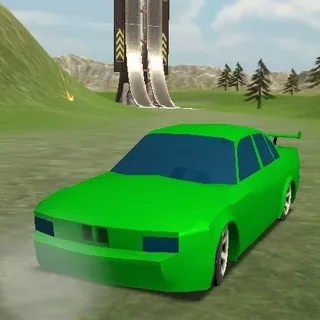


City Rider unblocked: play City Rider online free right here in your browser — no download, no sign-up, works on a school Chromebook.
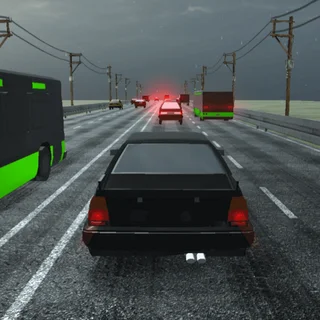
City Rider delivers an open-world 3D driving sandbox where you take the wheel of varied vehicles and explore expansive environments at your own pace. Instead of forcing you into rigid tournament ladders or strict checkpoint countdowns, the game emphasizes freedom of movement, vehicle handling experimentation, and realistic physics adjustments. Whether you want to test top speeds down long urban avenues, weave through winding suburban streets, or slide around wide intersections, every session puts full control in your hands.
For players visiting from fast-paced downhill reaction games like Snow Rider 3D, City Rider offers a welcome shift in tempo. You still enjoy responsive vehicle dynamics and fluid cornering, but you gain the freedom to stop, turn around, swap cars on the fly, and push different driving assists to their limits without an instant game-over screen interrupting your run.
How to play
Getting behind the wheel in City Rider requires only standard keyboard controls:
- Steering and Throttle: Use the W, A, S, D keys or the Arrow keys to accelerate, steer left or right, and brake or reverse.
- Handbrake: Press the Spacebar to lock the rear wheels for sharp turns and initiated drifts.
- Camera Perspective: Press C to cycle between exterior chase views and close-up angles.
- Vehicle Reset: Press R to immediately right your vehicle if you flip over or get wedged against obstacles.
From the on-screen menu interface, you can switch between multiple cars, ranging from high-powered sports coupes and agile sedans to bulky trucks and municipal vehicles. Each automobile features distinct weight distribution, acceleration curves, and braking responsiveness.
Handling settings and driving assists
One of the strongest features of City Rider is the ability to customize driving physics in real time. Through the vehicle control panel, you can toggle active driver aids such as anti-lock braking (ABS), traction control (TCS), and electronic stability programming (ESP). Leaving these systems active creates a predictable, arcade-friendly driving experience that keeps your car glued to the asphalt.
Disabling driver assists unlocks deeper simulation behavior, allowing you to kick the rear axle out into sustained power slides. You can also switch between predefined handling presets such as Racing, Simulator, and Drift modes to instantly reshape how torque and tire grip behave across pavement.
Similar games on Snow Rider 3D
If you enjoy the vehicle control and open movement of City Rider, several other titles on this site offer exciting driving and dodging challenges. Highway Traffic tests your reflexes in dense multi-lane traffic where near-misses score extra points. Crazy Cars brings high-flying stunt jumps and obstacle tracks into the mix, while Stunt Simulator Multiplayer lets you take custom stunt runs online alongside other drivers. If you want to return to pure obstacle-dodging speed, the downhill slopes of Snow Rider 3D remain ready whenever you want a high-stakes reflex challenge.
City Rider runs directly in your desktop browser without requiring downloads or extra installations, making it an ideal choice for quick driving sessions or extended vehicle testing.
Questions about City Rider
Is City Rider unblocked at school?
City Rider runs in an ordinary browser tab from snowrider3d.us.com, with nothing to download or install, so it plays on most school Chromebooks and work computers. If a network filter blocks the site, only that network's administrator can change it.
What type of driving game is City Rider?
City Rider is an open-world 3D driving simulator focused on free exploration, vehicle handling customization, and sandbox cruising rather than timed circuit races.
How do you switch vehicles and maps?
You can select different vehicles and map environments directly from the in-game menu overlay at any point during your driving session.
What controls are used to drive and drift?
Use the WASD keys or Arrow keys to steer, accelerate, and reverse. Press the Spacebar to engage the handbrake for tight turns and controlled drifts.
Does City Rider require a download to play?
No, the entire game runs smoothly in modern desktop web browsers without any separate downloads, plugins, or installations.